Part 04 · Custom Instruments, Sampling & Sonic FX

Sound Design, Synth Lab, Sampler & Sonic FX

Shape custom synths from words or 6 simple knobs, turn phone voice memos into click-free instruments, stack 4-layer hybrid sounds, and freeze unique effects onto individual held notes.

Language:
Try It Right Here

Sculpt Each Note Differently: Sticky Held-Note FX Lock

Tap any held note chip below to lock or unlock its effects, then move Warmth and Space & Echo — locked notes keep their exact sound while unlocked notes follow your sliders.

Part 04 · Custom Instruments, Sampling & Sonic FX

Step-by-Step Walkthrough

20 min · 5 Walkthroughs
4.1Sound Design4 min

Prompt-to-Macro Synth Design: Warm Sub-Bass & Headphone Calm Pads

What You'll Create

Design your own signature synth from plain words or 6 intuitive knobs and play it across all 8 octaves in Piano Studio.

  1. 1Open Synth Lab, type a mood like "Warm desert analog brass" or "Glassy dream pad", and tap ✨ Generate — or roll the Dice icon for instant inspiration.
  2. 2Turn the 6 Sound Shaper knobs (Brightness, Warmth, Attack, Space, Movement, Character), sketch a custom Motion Curve so held notes evolve over time, or add gentle Headphone Calm Waves (Binaural) in Expert view.
  3. 3Tap the Save (floppy-disk) icon — your patch appears immediately inside Piano Studio (Instruments → Mine) while rich 5-second studio samples capture quietly in the background across every octave.
Try This Creative Twist:Click Copy Share Link in Synth Lab to send your custom instrument to a friend or collaborator in one link.
Tablet
4.1
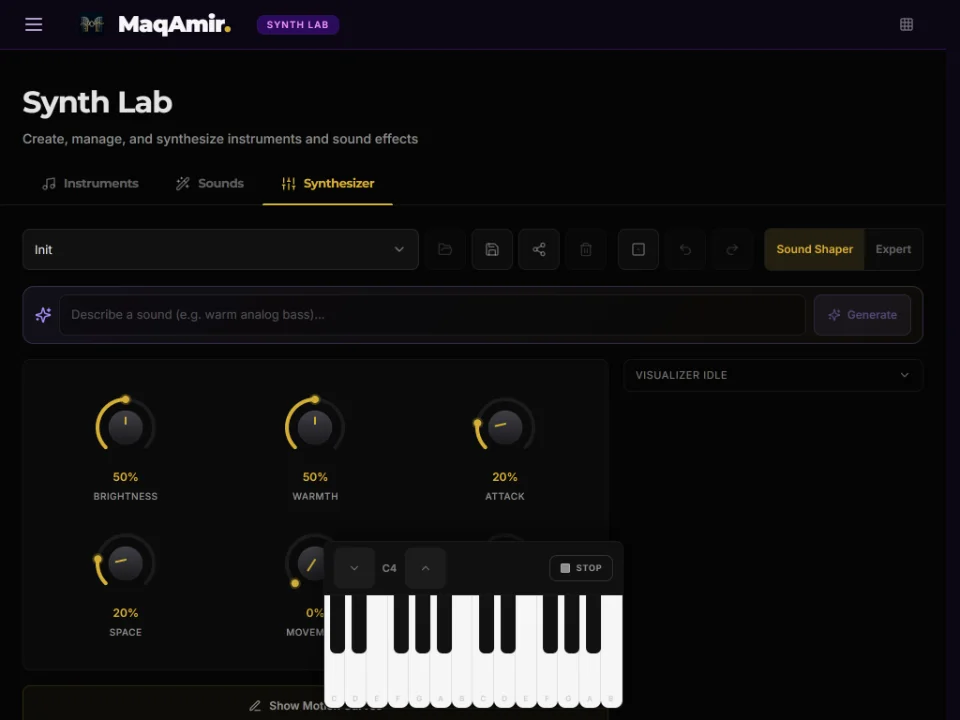
Prompt-to-Macro Synth Design: Warm Sub-Bass & Headphone Calm Pads (Tablet)
Tablet:Draw expressive Motion Curves directly with your finger and tweak macro knobs simultaneously.
4.2Innovation4 min

Phone Voice Memo → Playable Microtonal Instrument (Auto Trim & ZC Snap)

What You'll Create

Turn any sung note, acoustic sound, or voice memo into a smooth, click-free polyphonic instrument tuned to any world scale.

  1. 1Share a voice memo directly from your phone into MaqAmir, upload an audio file in the Instruments drawer, or tap Use as Instrument on any studio recording.
  2. 2Tap Auto Trim to remove leading silence automatically, then zoom in 1×–8× on the waveform and enable ZC Snap (Click-Free Loop Snap) so your sustain loop repeats with zero clicks or pops.
  3. 3Tap Seam Preview to audition the loop wrap-around right away (drag the shaded loop bar to slide the sweet spot), save, and play your custom sound across all keys and microtonal scales!
Try This Creative Twist:Record yourself humming a warm "Ahhh", loop the middle with ZC Snap, and play a 4-note chord in Maqam Nahawand.
Tablet
4.2
Phone Voice Memo → Playable Microtonal Instrument (Auto Trim & ZC Snap) (Tablet)
Tablet:Pinch-feel waveform editing with drag-to-slide loop windows.
4.3Sound Design4 min

4-Layer Cinematic Hybrid (Combine Preview Mix + Freesound + Filter Save)

What You'll Create

Fuse acoustic instruments, synths, and cloud textures into a single massive hybrid instrument.

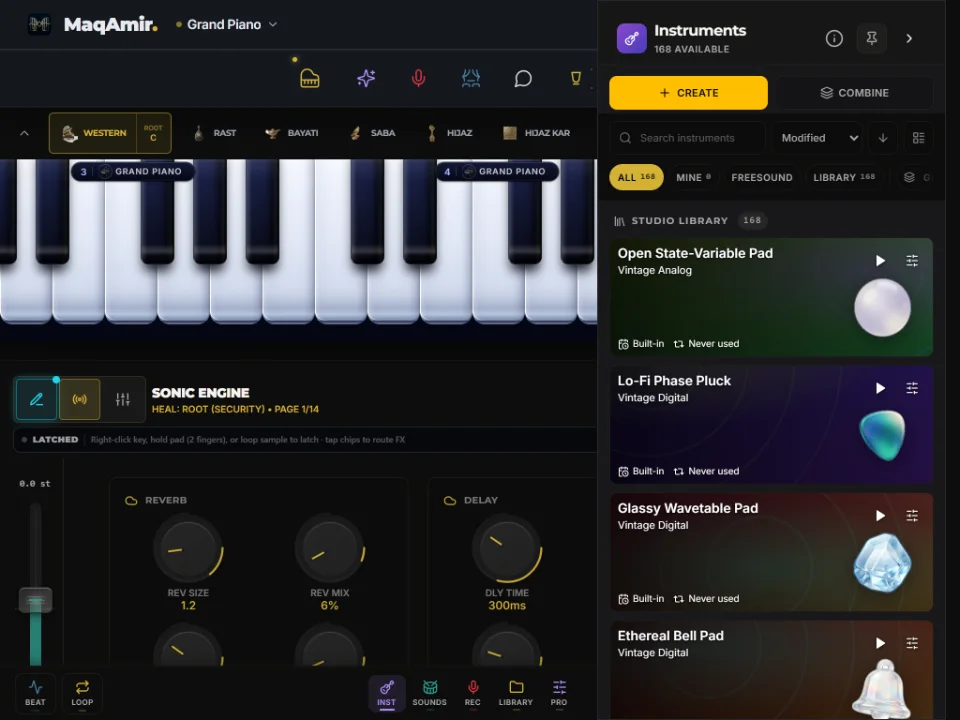
  1. 1Open the unified Instruments or Sounds drawer (Mine → Freesound → Library) — press and hold any row for half a second to preview its sound without closing the menu or swapping your active setup.
  2. 2Tap + Combine, pick 2 to 6 sounds (for example: Grand Piano + Warm Cello + Vinyl Rain + Sub-Bass), balance each layer’s volume (0–150%), and tap Preview Mix to hear them stacked live.
  3. 3Open the Audio Filter Editor on any sound to sculpt warmth, brightness, or pitch envelope, then tap Save as New so your custom hybrid lives permanently in Mine.
Try This Creative Twist:Search "kalimba" or "desert wind" in the built-in Freesound tab and blend it softly at 30% behind an acoustic piano.
Tablet
4.3
4-Layer Cinematic Hybrid (Combine Preview Mix + Freesound + Filter Save) (Tablet)
Tablet:Balance 4+ layer sliders by ear using live Preview Mix before saving.
4.4Experimentation4 min

Per-Note Sonic Sculpture: Freeze Unique Effects on Held Notes & XY Space Throw

What You'll Create

Hold a clean, dry bass note and a drenched, shimmering lead melody at the exact same time using Sticky Held-Note Chips.

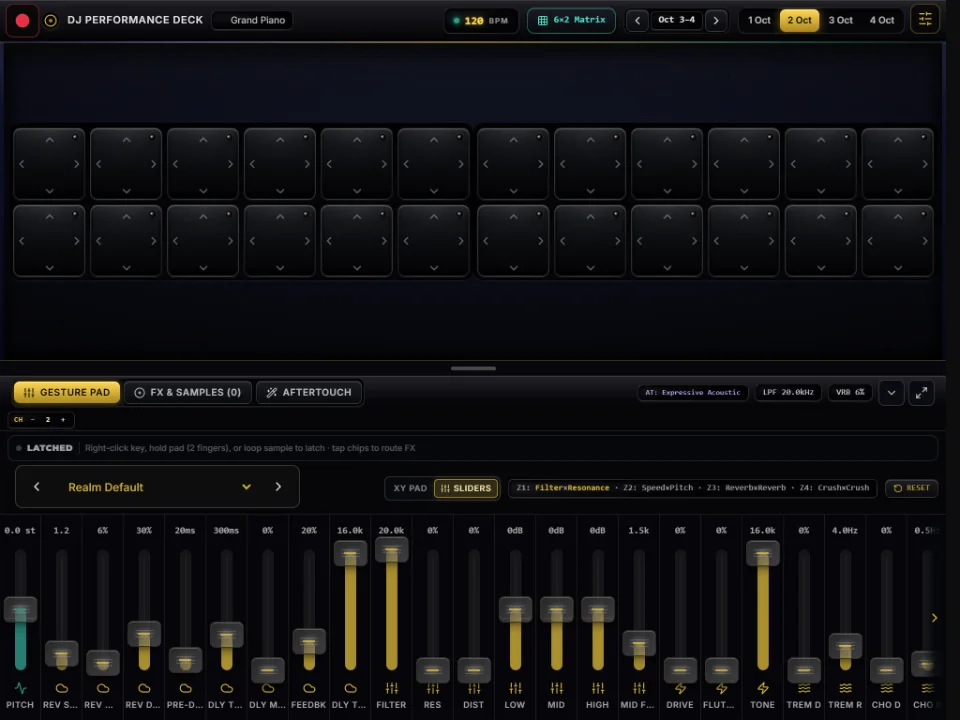
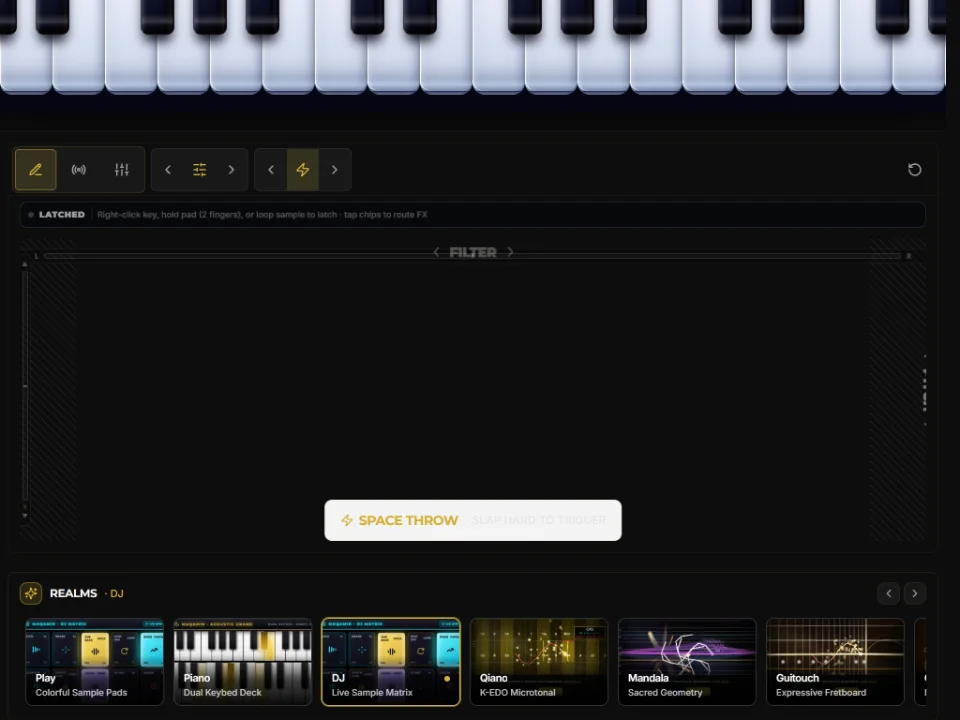
  1. 1Latch two or three notes hands-free (two-finger hold or right-click) and open the Sonic FX console (Draw XY Pad · Knobs · Sliders).
  2. 2In the Sliders view (50+ vertical effect faders), look at the glowing LATCHED note chips bar: tap your low bass note’s chip to unselect it — freezing its clean sound in place.
  3. 3Now push Shimmer, Echo, or Filter sliders upward (long-press or double-click any slider for exact value entry) — only the selected melody notes absorb the new effects! Or switch to the 2D XY Pad and flick quickly (Space Throw) to launch trailing echoes.
Try This Creative Twist:Freeze three chord notes one by one with completely different filter and echo colors to build a living sound installation.
Tablet
4.4
Per-Note Sonic Sculpture: Freeze Unique Effects on Held Notes & XY Space Throw (Tablet)
Tablet:Grab multiple vertical sliders at once with both hands while toggling note chips.
4.5Experimentation4 min

Self-Evolving Patches: Automatic Knob Pulse, Speed-Locked Transpose & Magic Locks

What You'll Create

Make knobs breathe automatically in rhythm, shift musical keys without changing loop tempo, and roll AI setups with locked favorites.

  1. 1In Sonic FX Knobs view, press and hold any knob for half a second to activate Automatic Sound Pulse — making your filter, warmth, or echo gently breathe in time with the beat, and morph between A / B snapshots.
  2. 2In the sliders bank, move Transpose (±12 semitones) to shift the musical key of rhythmic loops while keeping their speed 100% steady.
  3. 3Open the Sparkles (Magic) builder, pick Normal, Creative, or Extreme (which maps Freesound atmospheric SFX onto sharp keys!), lock any parameter you already love (like Scale or Rhythm), and shuffle the rest.
Try This Creative Twist:Lock your favorite Maqam scale in Magic, choose Creative, and tap Shuffle three times to discover unexpected world-electronic fusions.
Tablet
4.5
Self-Evolving Patches: Automatic Knob Pulse, Speed-Locked Transpose & Magic Locks (Tablet)
Tablet:Long-press multiple knobs to create interlocking rhythmic filter waves.
Annotated Screen Tours

Tap Any Numbered Pin to Explore the Controls

Screenshots automatically match your current device — Computer, Tablet, or Phone.

Synth LabTablet
Synth Lab (Tablet)
Tablet:Turn big Sound Shaper knobs and draw custom Motion Curves by touch.

6 Sound Shaper Knobs · AI Text-to-Patch · Motion Curves · Instant Studio Save

Open Synth Lab
Studio Quick-Reference Guides

Custom Sound Designer

01 · Synth Lab

Craft warm analog basslines, lush ambient pads, and expressive microtonal leads using 6 simple Sound Shaper knobs or plain-language AI prompts — saved instantly into Piano Studio.

When you tap the Save icon in Synth Lab, your custom instrument appears immediately in Piano Studio’s Mine tab while rich 5-second studio samples capture quietly across all 8 octaves.

Tablet
Synth Lab (Tablet)
Tablet:Draw custom Motion Curves with your finger while turning macro knobs.
16 Sound Shaper Knobs2AI Text-to-Patch Generator3Drawable Motion Curves40ms Save to Piano Studio
  1. Describe or Tweak: Type a sound description (✨ Generate) or turn Brightness, Warmth, Attack, Space, Movement, and Character.
  2. Add Living Motion: Draw a Motion Curve so sustained notes gently bloom and shimmer while held.
  3. Save Straight to Keys: Tap the Save icon — your patch lands instantly in Piano Studio (Instruments → Mine).
6 Macro KnobsAI Text-to-PatchMotion CurvesInstant Studio Sync

Musician Pro Tip:Open Expert view in Synth Lab and add subtle Binaural Calm Waves (4–8 Hz) to turn any ambient pad into a deep headphone meditation instrument.

Open Synth Lab

Ready to make your first sound?

Open Piano Studio, tap Maqam Rast or Magic in the top bar, hold a warm bass note with two fingers (or right-click), and let a melody unfold effortlessly.

Begin guide